beginners get started with MetaTrader 4
MetaTrader 4 (MT4) is one of the most popular trading platforms in the world, known for its user-friendly interface, advanced charting tools, and support for automated trading. For beginners, getting started with MetaTrader 4 can seem overwhelming at first, but with a little guidance, anyone can quickly learn how to use the platform effectively for trading. Whether you’re a novice in the financial markets or simply new to MetaTrader 4, understanding the basic steps and features of the platform will help you begin your trading journey with confidence.
The first step for beginners to get started with MetaTrader 4 is to download and install the platform. MetaTrader 4 is available for both Windows and macOS computers, as well as for mobile devices on iOS and Android. To begin, simply visit the official MetaTrader website or the app store on your mobile device to download the platform. After installation, you will need to create a trading account with a broker that supports MetaTrader 4. Many brokers offer free demo accounts, which are ideal for beginners because they allow you to practice trading with virtual money before risking your real funds. Once you have your demo or live account set up, you can log into MetaTrader 4 and start exploring its features.
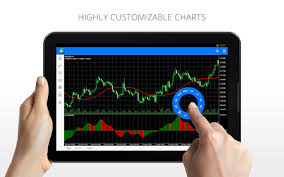
When you first open MetaTrader 4, you’ll be greeted with a clean and simple interface. The main window will display various charts, the “Market Watch” panel showing a list of available assets, and a “Terminal” section where you can track your trades, account balance, and other important data. As a beginner, it’s crucial to familiarize yourself with the platform’s layout. You can customize the layout to suit your preferences, adjusting the size of the charts or opening additional windows for tools like the Navigator, which gives you easy access to indicators, scripts, and expert advisors.
How can beginners get started with MetaTrader 4?
Next, beginners should learn how to read and interpret charts on MetaTrader 4. The platform provides a variety of chart types, including line charts, bar charts, and candlestick charts. Candlestick charts are particularly popular among traders as they provide a clear representation of price movements and potential trends. Beginners should focus on understanding the timeframes and price data displayed on these charts. You can adjust the timeframes to view short-term or long-term trends and use various technical indicators to help identify patterns and make trading decisions.
One of the most powerful features of MetaTrader 4 is its ability to use automated trading through Expert Advisors (EAs). While this may seem complex for beginners, it’s an excellent tool for those who want to automate their trading strategies. EAs can execute trades based on predefined conditions, taking emotions and human error out of the equation. To start with, beginners should explore the built-in EAs available in MetaTrader 4 and experiment with them in a demo account to understand how they work before using them in live trading.
Risk management is another essential aspect of trading, and MetaTrader 4 provides tools to help manage risks effectively. Beginners should learn how to use stop-loss and take-profit orders, which are essential for protecting profits and limiting losses. A stop-loss order automatically closes a trade if the market moves against you, while a take-profit order locks in profits when a trade reaches a specified price. By setting these orders, you can manage risk more effectively and avoid emotional trading decisions.
In conclusion, MetaTrader 4 is a powerful and user-friendly platform that can help beginners navigate the world of online trading. By downloading the platform, creating an account, and familiarizing yourself with its features, you can start trading with confidence. While it’s important to understand charts, indicators, and automated trading tools, beginners should take their time to practice and gain experience. By utilizing the demo account and mastering risk management, new traders can set themselves up for success in the world of online trading with MetaTrader 4.